


AirTag Scan: Bluetooth Tracker
4.5543.00 Reviews
App Specs
- Version
- 7.0.2
- Updated On
- License
- Free
- Downloads
- 1,000,000+
- Developer
- One Music Player
- Categories
- Tools
- Platform
- Android
Screenshots
 Analysis by AppCompare
I can see why AirTag Scan: Bluetooth Tracker is appealing in the first week: when something small goes missing, opening a phone app feels quicker than searching every pocket and room at random. This is a free tools app from One Music Player, built around scanning for nearby Bluetooth devices and trackers. The idea is simple, but whether it earns a lasting spot on your phone depends on what you expect it to do—and how often you actually need it.
Why the first scan feels useful
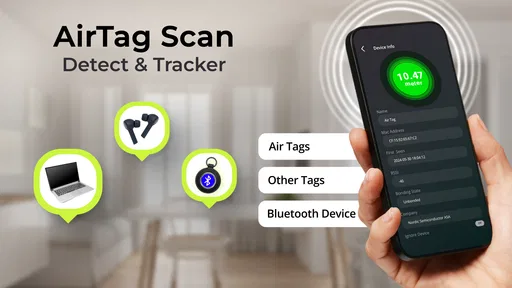
The initial appeal is practical rather than complicated. You open a scanner, look for unfamiliar or relevant nearby signals, and use the results to guide a physical search. The app is aimed at people who want an accessible way to check their surroundings for AirTags, Bluetooth devices, and hidden trackers, without treating the task like a technical project.
That can be reassuring in ordinary situations: a bag left in a shared room, a tracker you own that has slipped under furniture, or a quick check after borrowing a car. A scan is a prompt to investigate, not proof that a particular object is yours or that anything suspicious is happening. Bluetooth devices can belong to other people nearby, so the useful skill is interpreting a result calmly rather than reacting to every signal.
What a scanner can and cannot tell you
Bluetooth scanning is not the same as a dedicated item-finding network. It can help you notice devices in range, but it does not automatically identify ownership, establish intent, or guarantee an exact location. If a result appears, I would treat it as a lead: move to another spot, scan again, and see whether the signal remains relevant before drawing conclusions.
This distinction matters when choosing between this app and the usual alternatives. A manufacturer’s finding service is generally the better choice for locating a tracker already paired to your account, because it is designed around that product and its supported location tools. A general scanner has a different role: it can be useful when you want to inspect nearby Bluetooth activity, including devices you do not manage. Neither approach replaces the other.
For an everyday lost-item routine, I would first use the tracker maker’s own app if I had paired the tag myself. I would turn to a broad scanner when I was checking an unfamiliar space or trying to understand what devices might be nearby. That division keeps expectations realistic and avoids asking a scanning utility to provide the account-based features of a dedicated tracker ecosystem.
A careful routine for real situations
Imagine arriving home and realizing that a small tracker you own is no longer attached to your keys. I would start with the place where I last handled them, clear away obvious distractions, then scan from a few different positions rather than repeatedly staring at one list. If a signal changes as I move, that can help narrow the search area; walls, distance, and other nearby devices can make the result less straightforward.
Worth Reading Before You Choose

EA SPORTS FC Mobile 26 Is a Bigger Football Game, but It Takes Time

Flipboard Shows What News Apps Must Do Beyond the Feed

Switching to Android Auto Means Rethinking Your Driving Routine

Google Calendar Makes a Crowded Week Easier to Manage

Ludo King Makes the Most of the Minutes Between Plans

Baby Panda World Brings Quick Play to Modern Phones, but Its Game Library Feels Busy
A useful, non-obvious habit is to make a baseline scan in a quiet place before relying on the app in a crowded one. That gives you a feel for how much ordinary Bluetooth activity surrounds you and can make a later scan less alarming. It does not identify every signal, but it helps separate “there are many devices here” from “this one seems worth checking.”
If you are concerned about a device you do not recognize, repeat the check at a different time or location and look for a consistent pattern before deciding what to do. A single nearby reading can be caused by someone else’s phone, headphones, or other Bluetooth equipment. The app can support a cautious inspection, but it should not be treated as a definitive security verdict.
Getting Started with AirTag Scan
Setting up AirTag Scan is a breeze. Once you download it from the app store, it walks you through a simple setup process. The interface is pretty straightforward, which I appreciate—no need to dig through a ton of menus to get things rolling. Just a couple of taps and you're ready to track!
Features That Stand Out
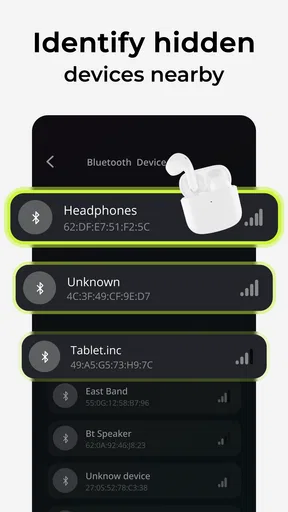
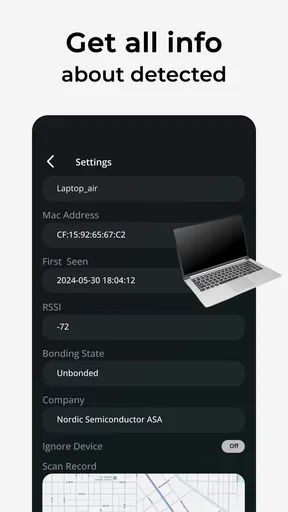
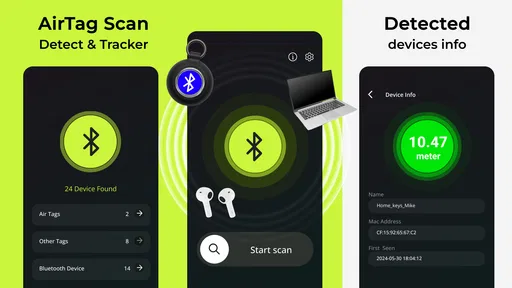
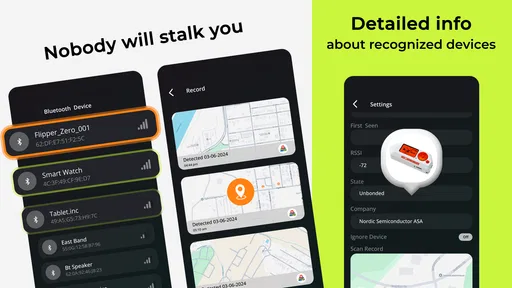
What really caught my eye was the app's ability to detect all nearby Bluetooth devices, not just AirTags. This feature is a lifesaver if you're like me and tend to misplace things that aren’t necessarily Apple products. The app lists everything within range, and you can easily identify what’s what.
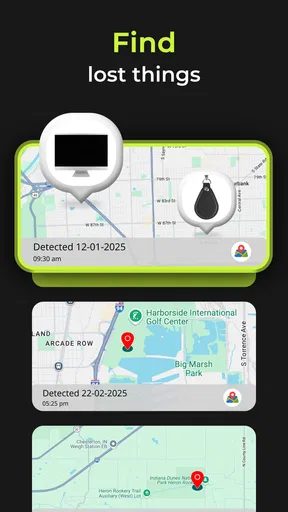
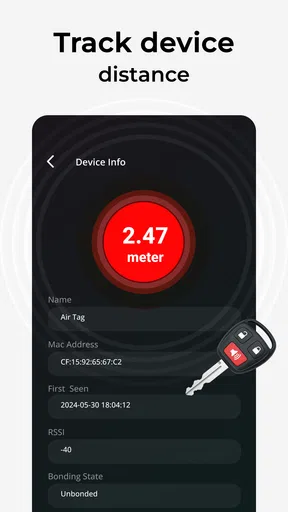
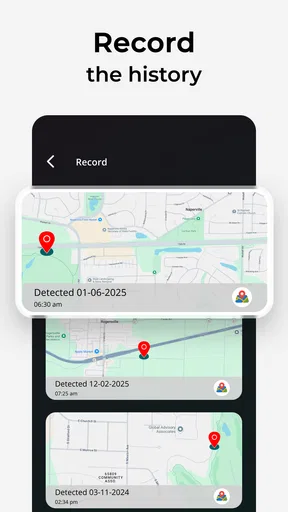
Another cool feature is the real-time tracking. Once you’ve identified your device, the app gives you an approximate location. It’s not pinpoint accurate, but it’s definitely close enough to guide you in the right direction. Think of it as a digital game of hot and cold.
How It Works in Day-to-Day Life
In my day-to-day use, I found the app super useful for keeping tabs on my essentials. I tested it with an AirTag attached to my keys, and it picked up the signal effortlessly. I even tried hiding my keys in different rooms, and each time, the app guided me right to them.
Beyond just finding lost items, the app is also handy for keeping an eye on things you want to make sure stay put. I used it on a road trip to keep track of my luggage, and it worked like a charm.
Making it a habit, not a background task
The month-to-month value is strongest when scanning is occasional and deliberate. For example, I would check a bag after a trip or scan a room when I have a specific reason, rather than leave the app running as a constant monitor. That approach also addresses the battery drain noted in my testing: opening the tool for a short check is a more sensible trade-off than keeping it active all day.
For luggage, the app is best understood as a nearby-device check, not a remote tracking service. If a bag is still close enough for a Bluetooth scan, a signal may help guide a search; if it has traveled beyond range, a scanner on your phone cannot magically follow it. For travel where remote recovery matters, a tracker’s own network or service is the more appropriate option.
There is also a practical limit to “keeping an eye” on belongings. A scan can help when you are physically near the item, but it is not a substitute for securing luggage, labeling it, or using the tracker’s intended companion features. I would use the app as one small part of a routine, not as the only safeguard for valuables.
Who will get the most from it
I think the app suits people who want a straightforward, occasional Bluetooth check and are comfortable interpreting a list that may include unrelated devices. It is especially useful for a person who has a misplaced tracker nearby, wants a second way to inspect the immediate surroundings, or simply prefers a quick scan over guessing where to start looking.
It is less suitable if you expect a scanner to identify every device with certainty, show an exact map position, or continuously protect you without affecting your phone. Someone who already relies on a tracker maker’s dedicated app for a paired tag may find that service more useful for ordinary lost-item recovery. Likewise, if you only need to locate keys around the house, a simple routine of checking the last place you used them may be faster than opening another app.
The app is free to download, though optional in-app purchases range from $0.99 to $99.99 per item. I would decide whether it belongs in my routine based on the free experience and my actual scanning needs, rather than assuming that a purchase is necessary. It is rated for Everyone, has an average rating of 4.6 from around 7,000 ratings, and has been installed over 500,000 times. Those figures suggest broad interest, but they do not change the basic question: will you scan often enough to justify keeping it?
Room for Improvement
While AirTag Scan is great, it’s not perfect. The app occasionally picks up other people’s Bluetooth devices, which can clutter the screen a bit. A filtering feature to focus only on tagged devices would be a welcome addition.
Also, the battery usage can be a tad heavy if the app is running constantly in the background. I found myself needing to charge my phone more often than usual when I had it on all day.
The friction that shows up over time
Those limitations matter more after the novelty fades. A busy scan can produce noise rather than clarity, and the user has to decide which result deserves attention. That is manageable when you have a specific object or concern in mind, but tiring if you open the app without a clear question and expect it to sort everything out for you.
The maintenance burden is mostly behavioral: remember to open the app when needed, allow time to inspect results, and close it again instead of leaving it active. People who prefer a passive safety tool may find this less appealing. I also would not make a strong decision based on one scan in a crowded place; repeating a check in a quieter setting is more sensible, even though it takes extra time.
Version 5.0 is the current release, and the app works on Android 7.0 and later. That makes the basic compatibility question easy for many Android users, but it does not change the distinction between nearby scanning and a tracker’s own locating system. The developer is One Music Player, and the app’s focus remains a hands-on scan rather than a replacement for every device-specific service.
Long-term verdict: keep it for a reason
Overall, AirTag Scan: Bluetooth Tracker is a handy app for anyone prone to losing things. It’s easy to use, effective, and offers a level of convenience that’s hard to beat. Despite a few minor hiccups, it delivers on its promise to help you track your stuff. If you’re looking for peace of mind and a bit of tech-savvy assurance, this app is definitely worth checking out.
For me, it earns space when I have a recurring reason to scan—checking a nearby tracker, inspecting an unfamiliar environment, or narrowing down a search at home. It is not the right tool for remote recovery, guaranteed identification, or unattended monitoring, and those expectations are where disappointment is most likely. I would keep it as an occasional utility, not a permanent background companion. Its free entry point makes trying that routine easy, while the optional purchases are a decision to make only if the app’s actual use justifies them.
So, next time you’re frantically searching for your stuff, just remember: there’s an app for that!
Pros
- Easy to use with a clean interface.
- Quickly detects nearby AirTags.
- Supports multiple devices.
- Customizable alert settings.
- Doesn't drain battery excessively.
Cons
- Only available for iOS devices.
- Limited to Bluetooth range.
- No real-time location tracking.
- May miss hidden AirTags.
- Requires frequent app updates.
FAQs for AirTag Scan: Bluetooth Tracker
What is AirTag Scan: Bluetooth Tracker used for?
AirTag Scan: Bluetooth Tracker is a mobile application designed to help users locate and manage their Apple AirTags and other Bluetooth devices. It facilitates quick scanning of nearby Bluetooth signals to help track items effortlessly, ensuring you can always find your belongings without hassle.
How does AirTag Scan ensure the privacy of my data?
AirTag Scan prioritizes user privacy by not storing personal data or tracking location history. The app only uses Bluetooth signals to identify nearby devices, ensuring that your information remains secure. It operates independently without requiring access to personal accounts or sensitive data.
Is AirTag Scan compatible with non-Apple devices?
Yes, AirTag Scan can detect various Bluetooth-enabled devices, not just Apple AirTags. While it is optimized for AirTags, the app can scan and help locate a wide range of Bluetooth trackers, making it versatile for users with different devices.
Does AirTag Scan require an internet connection to function?
No, AirTag Scan primarily uses Bluetooth technology to detect nearby devices, meaning it does not require an internet connection for core functionalities. However, an internet connection might be needed for certain features like app updates or additional support resources.
Can AirTag Scan help in locating lost items?
Yes, AirTag Scan is designed to assist in finding lost items by detecting Bluetooth signals from your tracker devices. It provides a range of features to help you navigate and pinpoint the location of your lost belongings, increasing the chances of recovery.


